
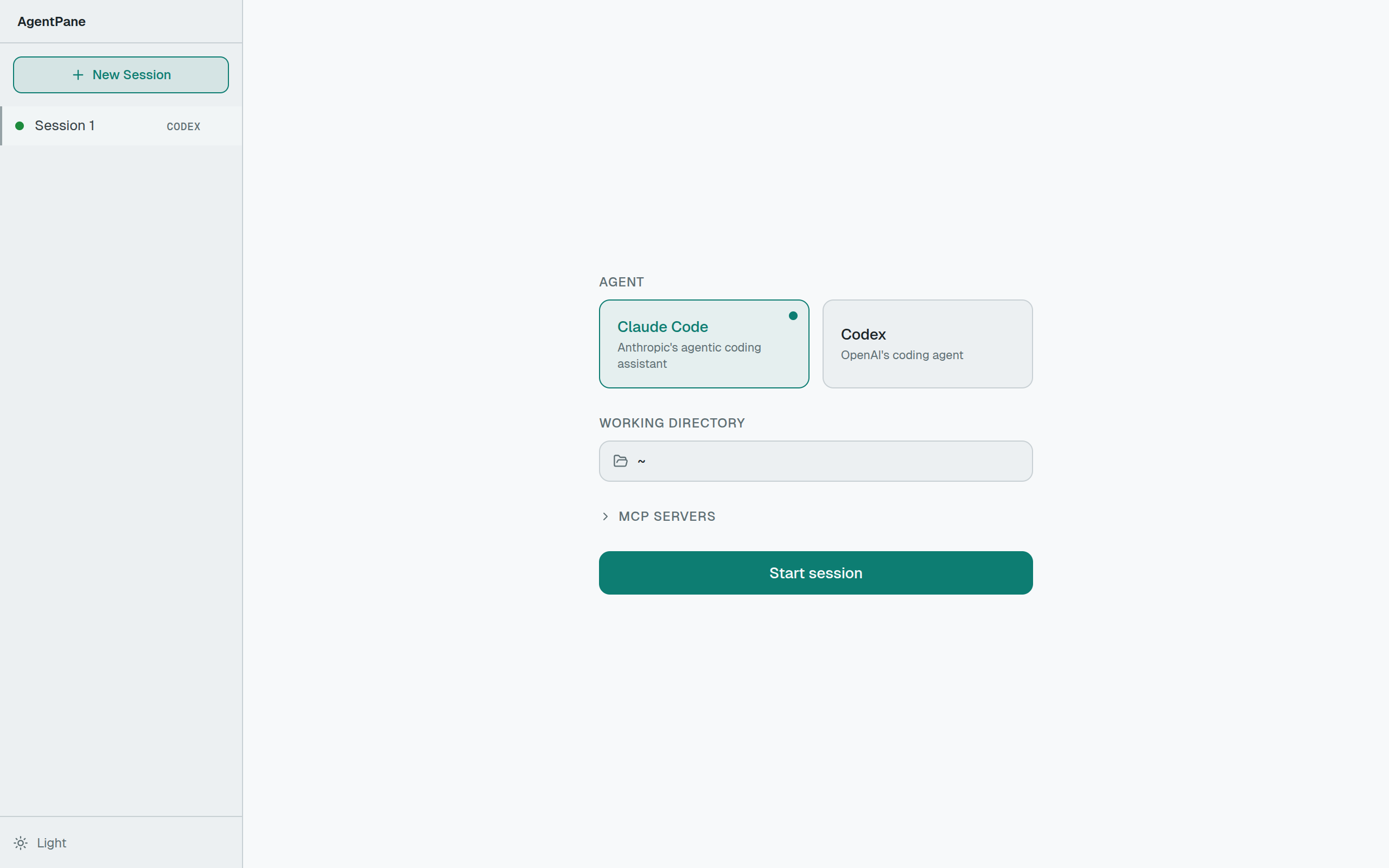
agentpane is a local web UI for AI coding agents. You run npx agentpane, it opens in your browser, and you can talk to Claude Code, Codex, or any agent that speaks ACP (Agent Client Protocol) — all from a multi-pane interface with streaming, persistence, and session management:
npx agentpane
# → http://localhost:6767
Pick an agent, pick a working directory, and start a session. The agent runs as a subprocess on your machine. No cloud, no deployment, no accounts.
Multi-Pane, Multi-Agent
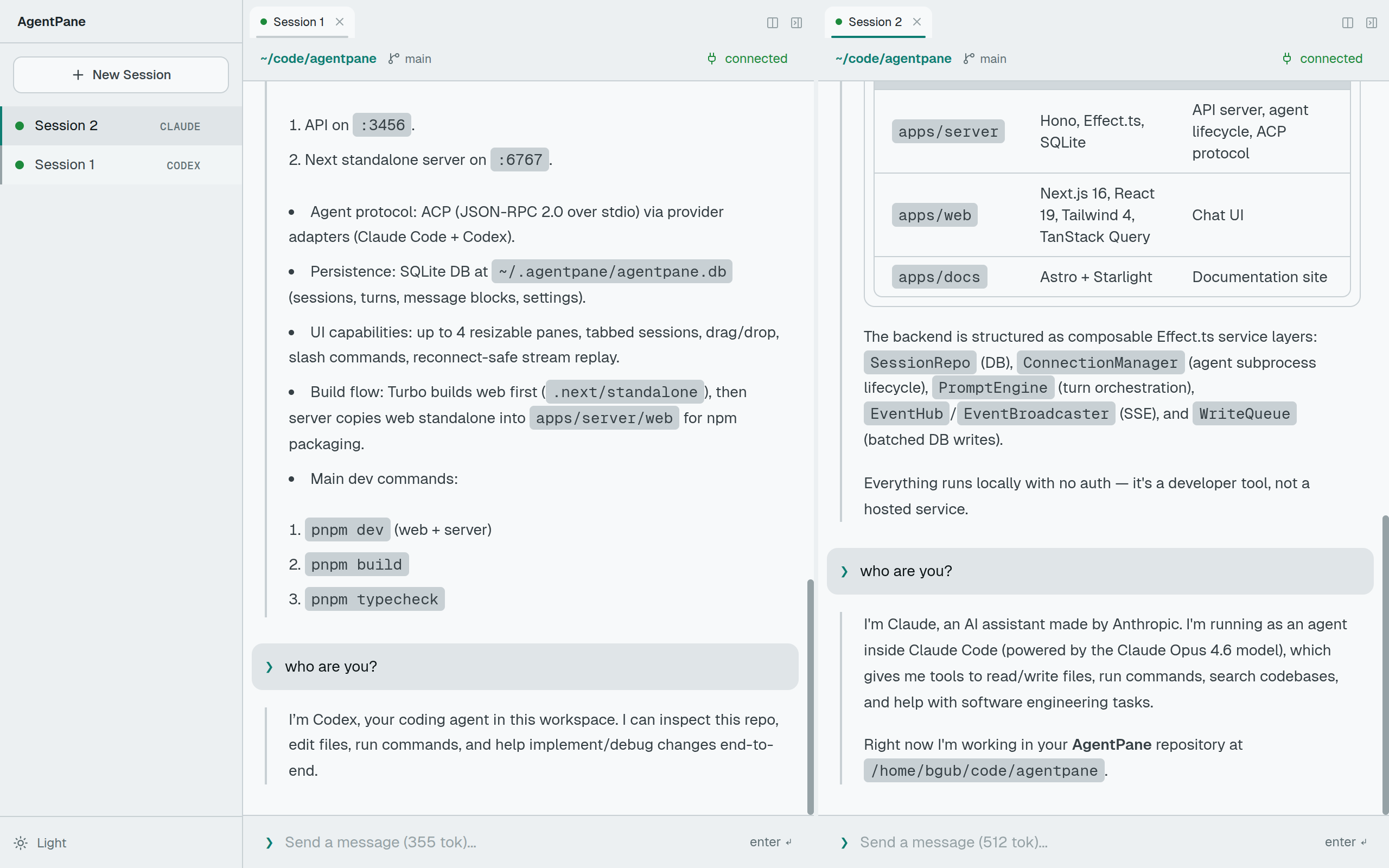
The main thing I wanted was the ability to run multiple agents at once and see them side by side. agentpane gives you up to four resizable panes with tabs. You can drag sessions from the sidebar into any pane, or drag a tab to split into a new one. Layout persists across refreshes.
This means you can have Claude Code working on your backend in one pane and Codex refactoring your frontend in another — same screen, same app.
Architecture
The app is two processes:
- API server (Hono, port 3456) — spawns agents, manages sessions, handles persistence
- Web frontend (Next.js, port 6767) — the UI, with
/apicalls rewritten to the backend
The backend is built with Effect.ts and uses dependency injection through composable service layers:
SessionRepo (DB)
  → ConnectionManager (agent subprocess lifecycle)
  → PromptEngine (turn orchestration)
  → EventHub / EventBroadcaster (SSE)
  → WriteQueue (batched DB writes)
Agents communicate over ACP — JSON-RPC 2.0 over stdio. When you send a prompt, the PromptEngine creates turn records, passes the message to the agent subprocess via ACP, and streams results back through Server-Sent Events.
Streaming with Reconnection Safety
The frontend subscribes to an SSE endpoint per session. Each event gets a monotonic ID. The EventBroadcaster keeps a ring buffer (512KB / 1000 events) so that if your browser disconnects and reconnects, it replays missed events using the Last-Event-ID header. No gaps in the conversation, no manual refresh needed.
Crash-Safe Persistence
All state goes to a local SQLite database at ~/.agentpane/agentpane.db. But writes don't happen inline — the WriteQueue accumulates operations and flushes them in a batch every 50ms. Before flushing, ops are persisted to a recovery table. If the server crashes mid-flush, it picks up where it left off on restart. No message loss.
-- The recovery table
CREATE TABLE write_queue_ops (
  id TEXT PRIMARY KEY,
  session_id TEXT NOT NULL,
  op_json TEXT NOT NULL,
  created_at TEXT NOT NULL DEFAULT (datetime('now'))
);
What Agents See
agentpane doesn't care what model powers the agent — it talks ACP. When you connect to a session, the ConnectionManager:
- Resolves the agent binary (walks
node_modules/.bin/for npm compatibility) - Spawns it as a child process with stdio pipes
- Negotiates ACP capabilities (auth, config, modes, commands)
- Attempts session resumption if reconnecting to a previous session
The UI adapts to whatever the agent supports. If the agent exposes configuration options, they show up as dropdowns. If it supports slash commands, you get autocomplete. If it streams thought blocks, they render as collapsible sections.
The Frontend
The web app is Next.js 16 with React 19 and the React Compiler — no manual useMemo or useCallback anywhere. State is split into two context layers:
- SessionProvider — active session, health checks, session CRUD
- LayoutProvider — pane configuration, tab ordering, drag-and-drop
Server state (sessions, conversations, token usage) is managed with TanStack React Query, invalidated on SSE events. Markdown renders as it streams in using Streamdown with Shiki syntax highlighting.
Try It
npx agentpane
The source is on GitHub. Docs are at apps/docs.